
How to Build a Golem
Every slot filled, then the miner walks. Empty legs never enter the mine.
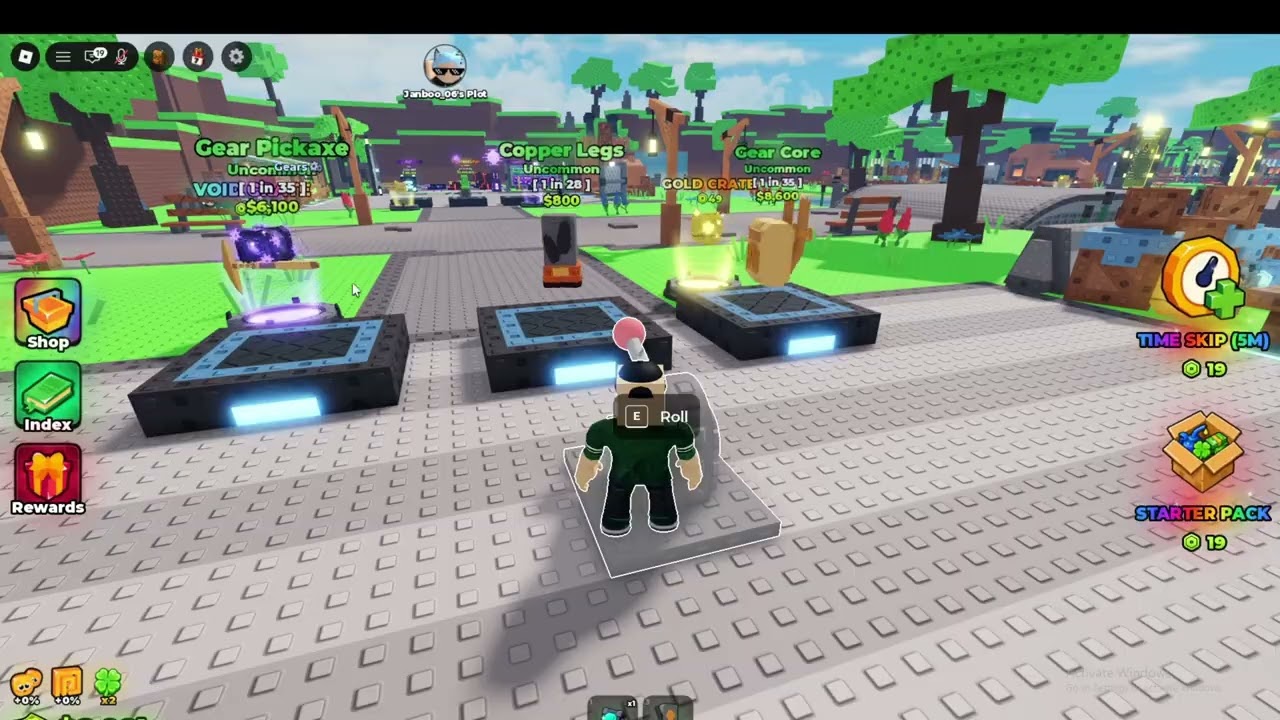
The crafter is the stone platform with cyan rings in front of spawn. Dirt parts orbit it during the tutorial so you cannot miss the station. Building a golem is not a combat craft and not a Roblox Studio tool. You buy rolled parts, stand on the disc, and snap a full body. If any required slot is empty, the puppet stays as inventory junk.
This page is the assemble step that sits between getting started and the mining loop. Codes do not skip it. RELEASE only buys the pieces.
Parts you must fill
Treat the golem like a mannequin:
- Head
- Torso / core
- Left arm and right arm
- Left leg and right leg
Official art shows two looks you will actually meet: a dirt/grass body (brown clay, moss, flowers, green core) and a crystal body (cyan shards, bright core). Mixed sets work as a stepping stone — a crystal torso on dirt legs still walks — but the weakest limb caps the miner. The parts tier list ranks those looks without inventing drop rates.
Step-by-step snap
- Confirm Inventory has one of each slot. Open Index if you are unsure what you already collected.
- Walk onto the glowing crafter disc. The orbiting tutorial parts are a hint, not extra loot.
- Assign each slot. Do not confirm with a missing leg “to see what happens.” Nothing useful happens.
- Confirm the assemble. The golem should stand as a full character.
- Send it to a free ore plot. Cash/s should appear. Dirt sits near the $5/s example; crystal is the long-term target.
If the assemble button is grey, you are missing a slot or trying to snap parts you already equipped on another miner. Unequip or sell the duplicate.
Failed builds and leftovers
Only arms in the bag. Sell or hold them. Extra arms do not create a second miner.
Wrong game muscle memory. Army players look for spawners. There are no spawners here. One crafted body equals one plot worker.
Snapping before buying. The orbiting dirt pieces are a preview. You still pay Cash in the shop after a luck roll.
Dismantling to recraft. Only break a miner if the replacement is already bought. Empty plots earn $0 while you fiddle, including offline time.
Visual checks that matter
Dirt bodies look dull and flowery. Crystal bodies glow. Purple-dark bodies with flower crystals appear on the game icon as a late miner with a pickaxe. Use glow as a cheap rarity hint when Index names are still new to you. The golem builds page explains why you replace the torso before you min-max hats.
After the first successful walk
Leave the miner on the plot. Spend leftover Cash on luck or a single better limb, not a second half-set. Claim THANKS only now. Then read controls if Shop versus Index is still confusing.
When you can afford a crystal core, rebuild on the same crafter. You do not unlock a second machine. The stone disc is the whole factory. Islands and ore zones from the mining loop add plots, not extra crafters.
If a script offers Auto Assemble, understand the snap rules first. Auto-snapping junk still produces junk. See scripts for the feature list without treating it as a beginner requirement.
Frequently Asked Questions
Quick answers for rolling parts, crafting golems, and claiming cash.
Why won’t my golem assemble?
A required slot is empty, or the parts are already on another body. Fill head, torso, arms, and legs.
Can I mix dirt and crystal parts?
Yes, but the weakest limb limits Cash/s. Upgrade the core and legs first.
Where is the crafter?
The glowing stone platform at spawn with parts orbiting during the tutorial.
Do codes build the golem for me?
No. RELEASE only adds Cash. You still snap parts yourself.